Run your hotel from one
calm, modern dashboard
Aurora brings your front desk, calendar, channel manager, direct booking engine, housekeeping and reports together — so your team spends less time fighting software and more time looking after guests. Now with a 24/7 AI booking agent that takes reservations right inside WhatsApp, Telegram and Messenger.
No long contracts · Built-in OTA sync · Commission-free direct bookings
Now — take bookings by chat


Built for independent hotels, boutiques, hostels & groups
- Minutes to get set up
- 0% commission on direct bookings
- Real-time OTA availability sync
- 24/7 AI booking agent
The problem
Most hotel software fights your team
Legacy systems were built for back offices, not busy front desks. The result is daily friction that costs you time, money and bookings.
Sound familiar?
-
Weeks of training before staff can confidently work a shift.
-
A bolt-on channel manager that costs extra and falls out of sync — hello, overbookings.
-
Commissions on every booking and reports gated behind a higher tier.
-
Housekeeping on paper because the mobile experience is an afterthought.
The Aurora way
One platform your team learns in an afternoon — and actually enjoys using.
-
Zero-training, modern UI — if your team can use a phone, they can run the front desk.
-
A channel manager that's built in — OTAs stay in sync in real time, no separate bill.
-
Commission-free direct bookings from a booking engine that's included, not extra.
-
Mobile-first housekeeping — your team updates room status from the floor.
New · AI booking agent
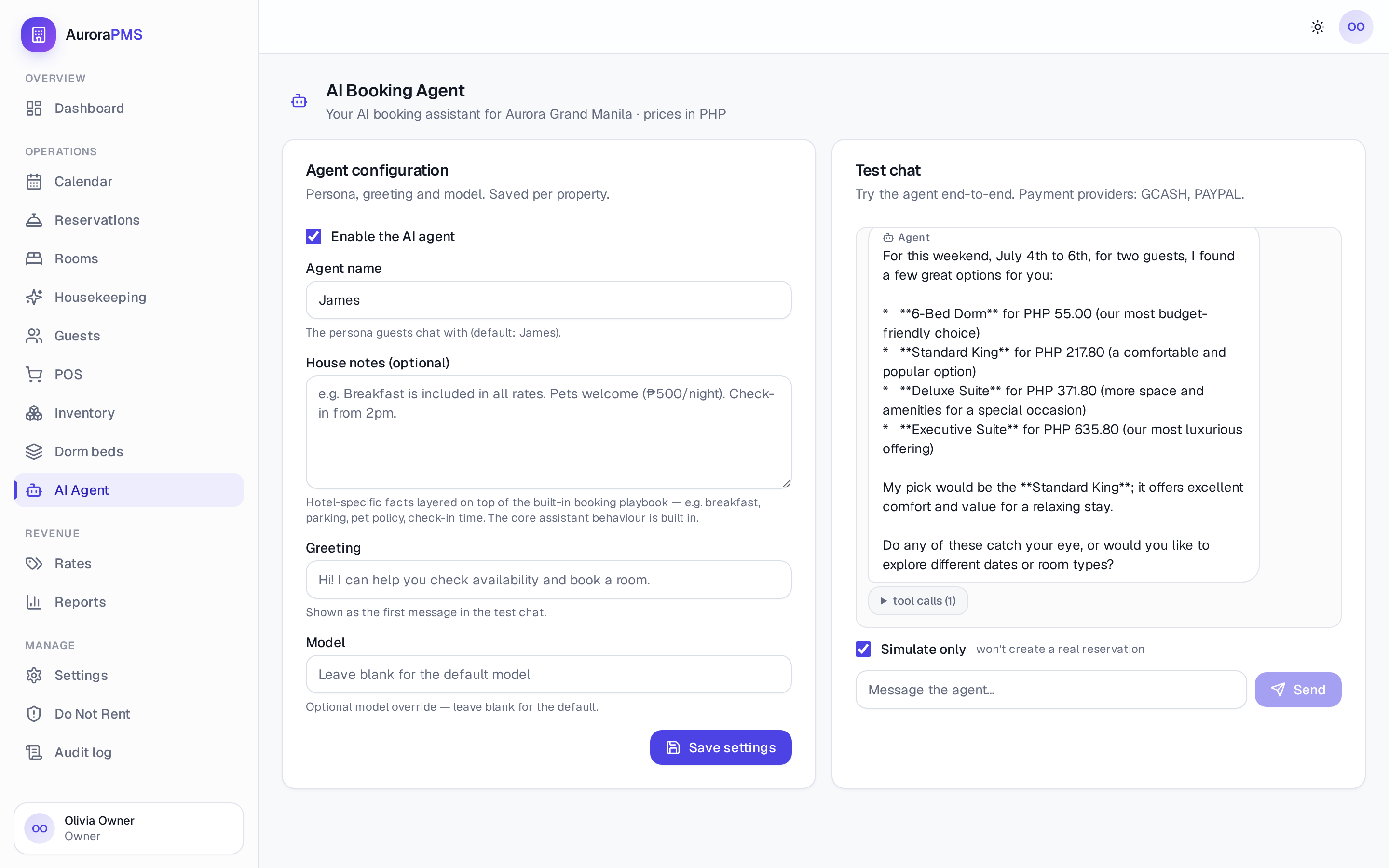
Meet James, your 24/7 booking agent
James chats with guests in the apps they already use, checks your live availability, and turns questions into confirmed, paid bookings — day or night, in their own language. When something needs a person, he hands it straight to your team.
A concierge and a salesperson in one
- Real availability, never invented — every room and price comes straight from your live calendar.
- Speaks the guest's language — replies in English, Spanish, Tagalog, German and more, automatically.
- Sells, tastefully — recommends the right room, offers alternative dates and upsells suites without the pressure.
- Takes payment in the chat — sends a secure checkout link so the booking is confirmed and paid.
- Knows when to get a human — complaints and special requests are handed to your team instantly.
James
Aurora Grand Manila · online
A room for 2 this Fri–Sun?
Hi, this is James from Aurora Grand Manila 👋 For Fri–Sun I'd suggest our Standard King at ₱237.60 for 2 nights — great value, free cancellation.
Perfect, book it 🙌
Done — you're confirmed, Maria! Here's your secure payment link:
Omnichannel
Guests book where they already chat
No app to download, no form to fill in. Guests message you on their favourite platform and James does the rest — right through to payment.
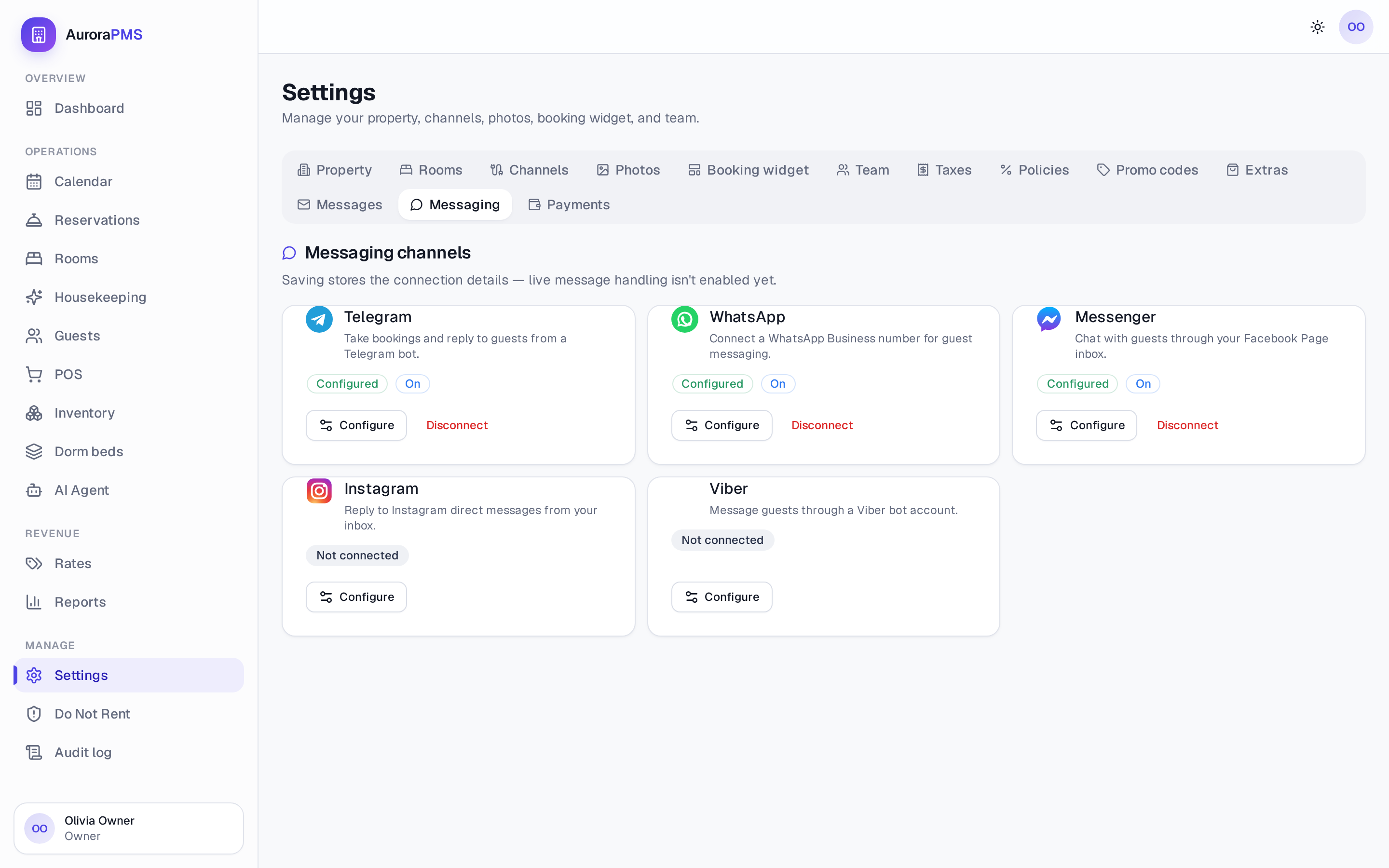
Messaging channels
WhatsApp
Telegram
Messenger
Instagram
Viber
Every request lands in the same place as your OTA and direct bookings — one calendar, one source of truth.
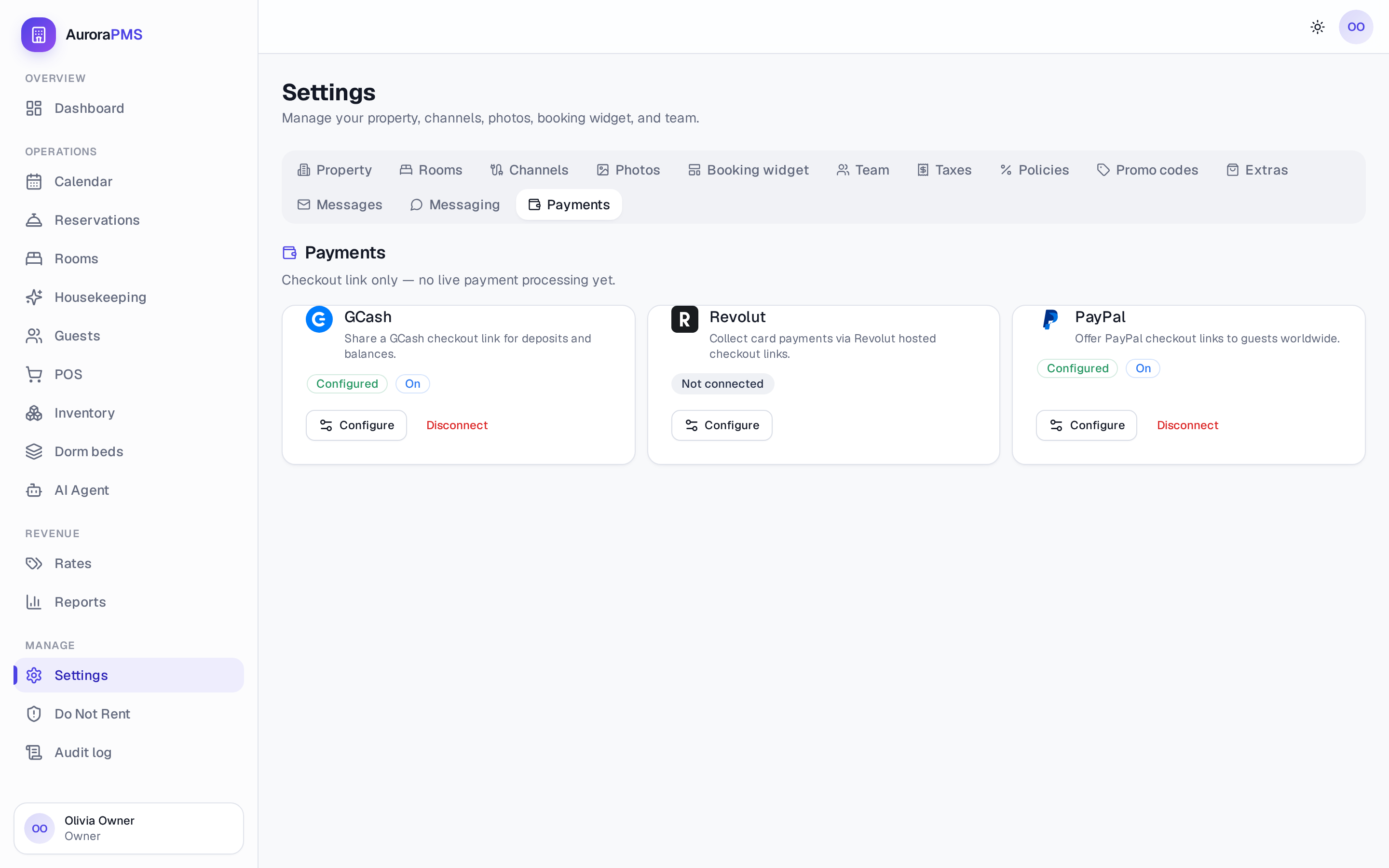
In-chat payments
 GCash
GCash
 Revolut
 PayPal
Guests pay by a secure checkout link right in the conversation — deposits and balances settled before arrival.
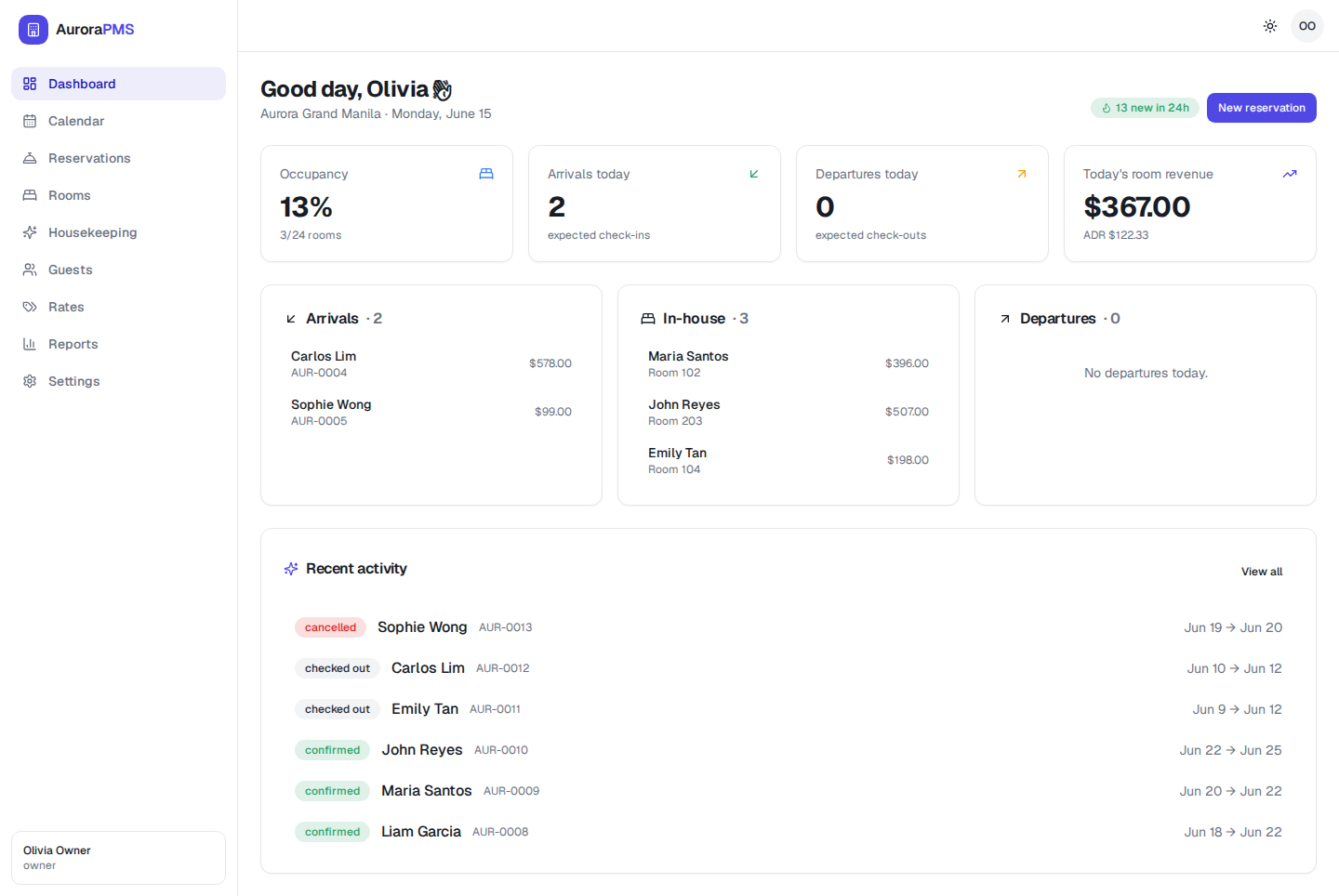
Everything in one place
One platform, the whole property
From the front desk to the rate grid to a phone in a housekeeper's hand — every screen is fast, clear and designed to be used at speed.
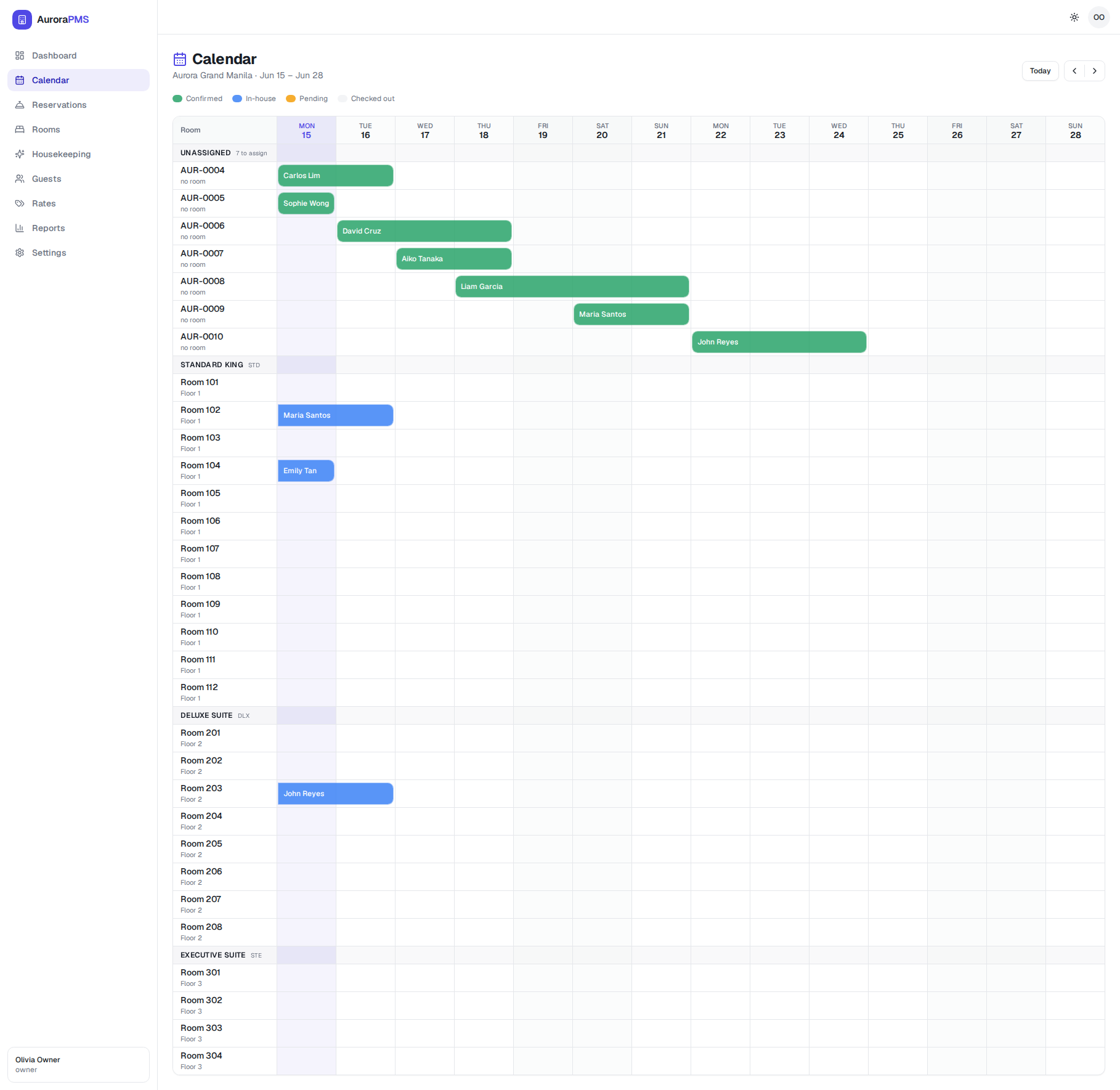
See every room and stay at a glance
A drag-and-drop timeline shows arrivals, in-house guests and departures across every room type. Assign rooms, spot gaps and avoid double-bookings without a spreadsheet in sight.
- Colour-coded statuses: confirmed, in-house, pending, checked out
- Unassigned bookings queue so nothing slips through
- Create, modify or cancel a reservation in a few taps
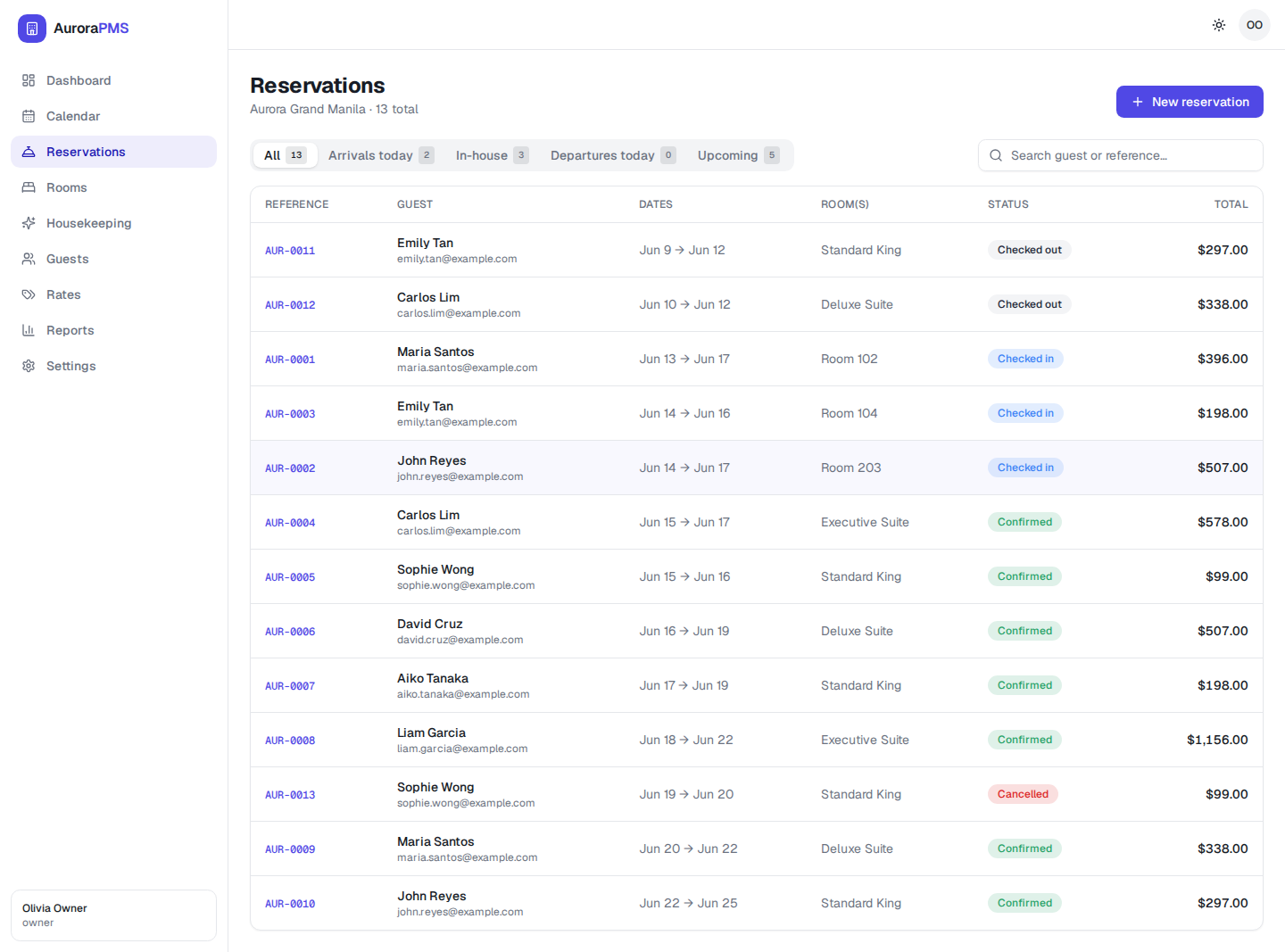
OTAs always in sync — no overbookings
The channel manager is built in. Availability, rates and restrictions flow out to your OTAs and their bookings flow straight back into Aurora in real time — so the calendar you see is the calendar guests can book.
- Real-time, two-way OTA sync to cut double-bookings
- No separate channel-manager subscription or bolt-on
- Every reservation lands in one shared queue to action
Housekeeping that runs from a phone
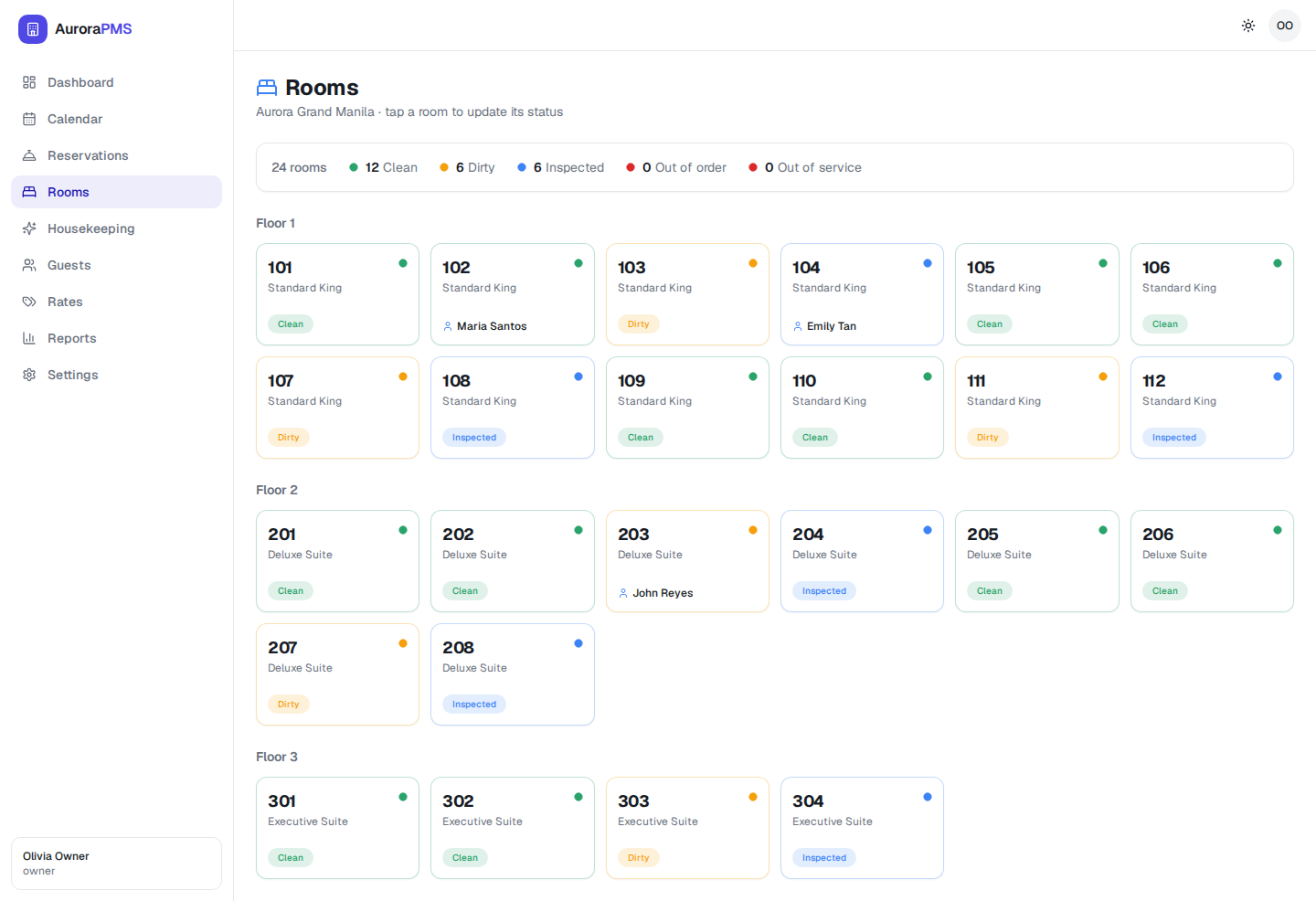
Your team sees the day's cleaning workload, marks rooms clean and flags inspections — right from the floor. The front desk sees room status update live, so check-ins never wait on a paper list.
- "Rooms ready today" progress at the top of every shift
- One-tap Clean / Inspect, with dirty rooms surfaced first
- Works on the phone your team already carries

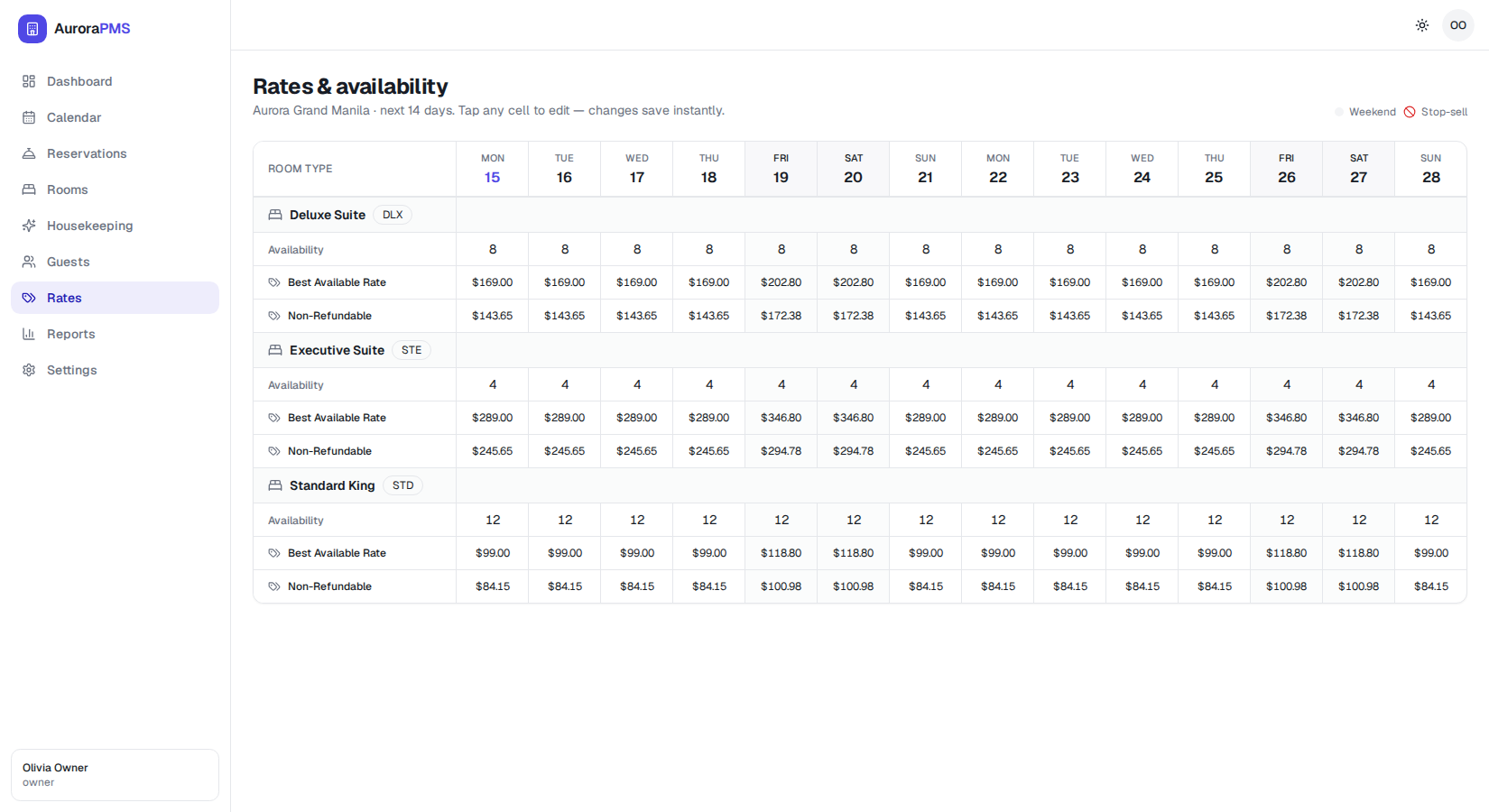
Price and open inventory in one grid
A clean rate grid spans the next two weeks across every room type and rate plan. Tap a cell to change a price or close out a date — changes save instantly and push to your channels.
- Best-available and non-refundable plans side by side
- Weekend and stop-sell days clearly marked
- Edit availability inline without leaving the grid
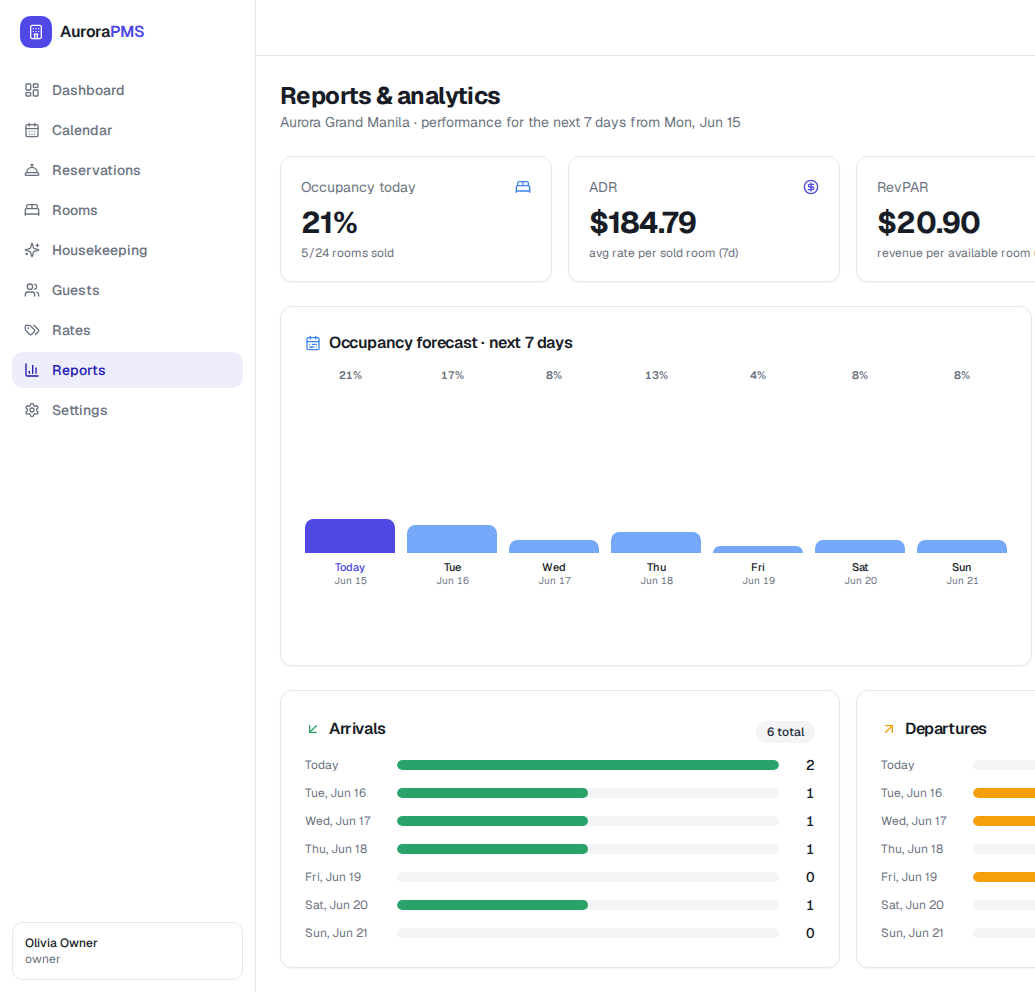
The numbers that run a hotel, included
Occupancy, ADR and RevPAR are front and centre — no extra analytics tier to buy. See a 7-day occupancy forecast and your arrivals and departures at a glance to plan staffing and pricing.
- Occupancy, ADR and RevPAR on one screen
- 7-day occupancy forecast to plan ahead
- Reporting included on every plan — never gated
Take direct bookings, keep the commission
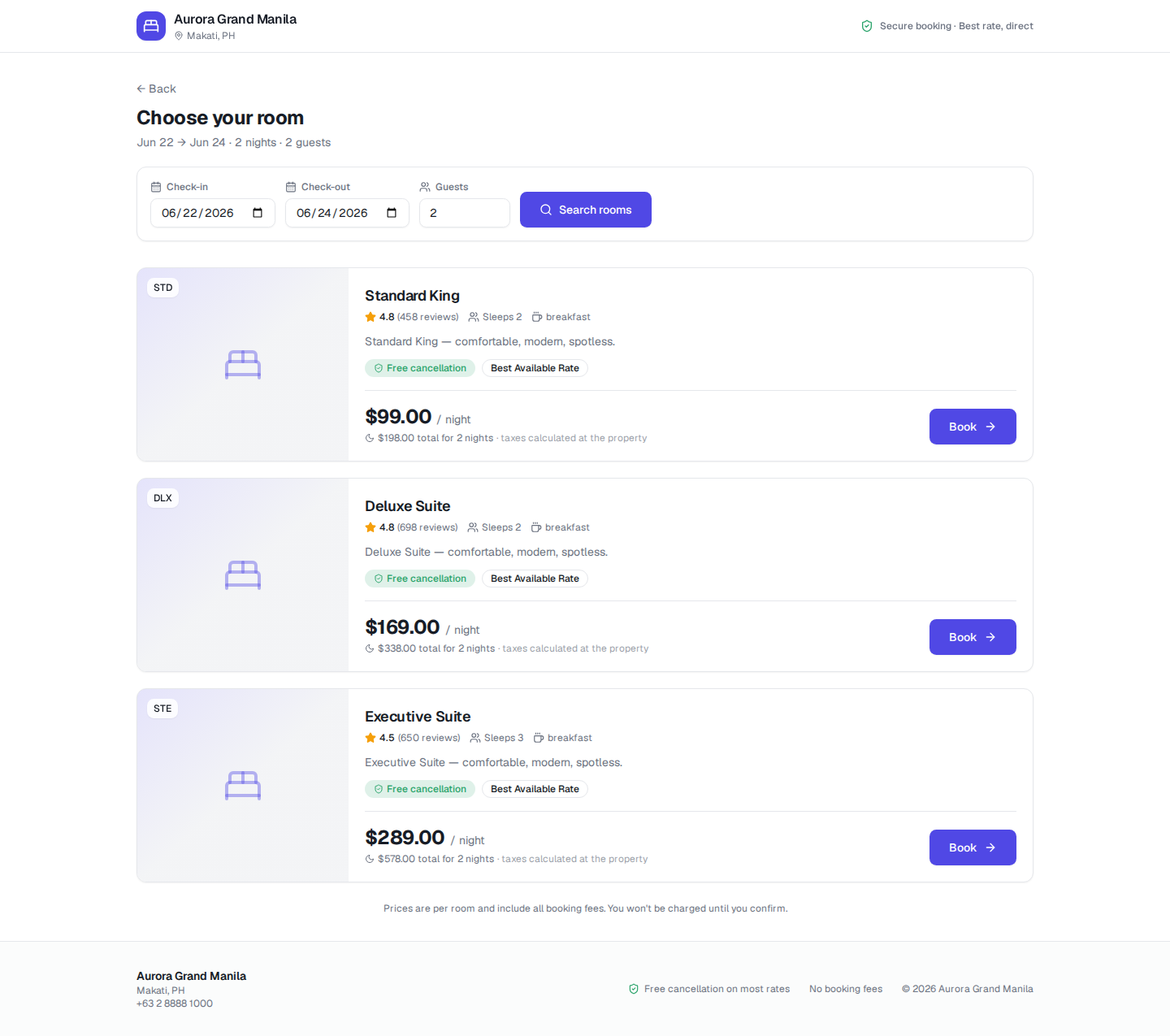
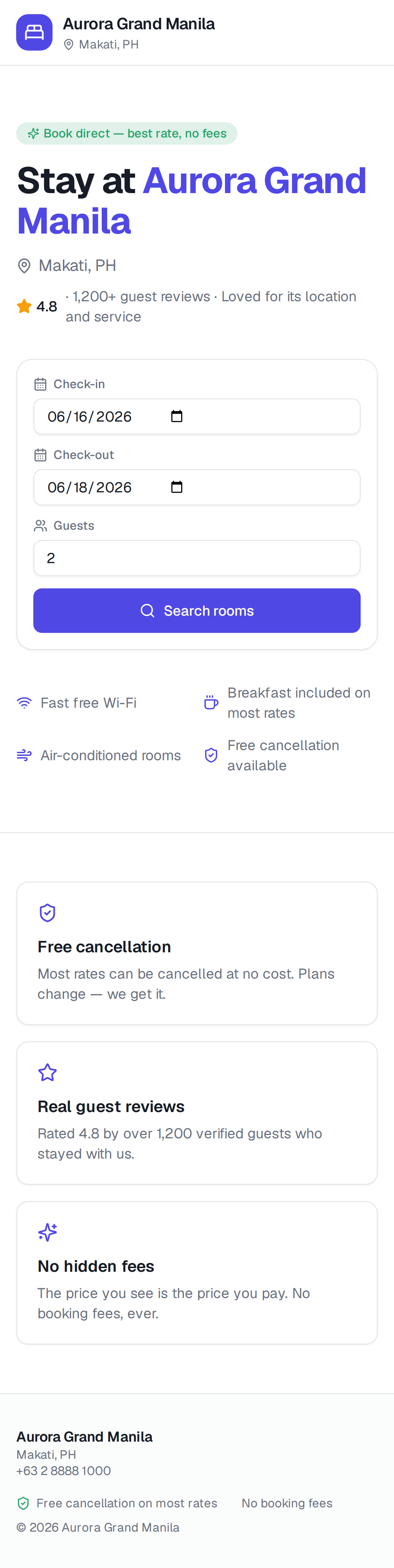
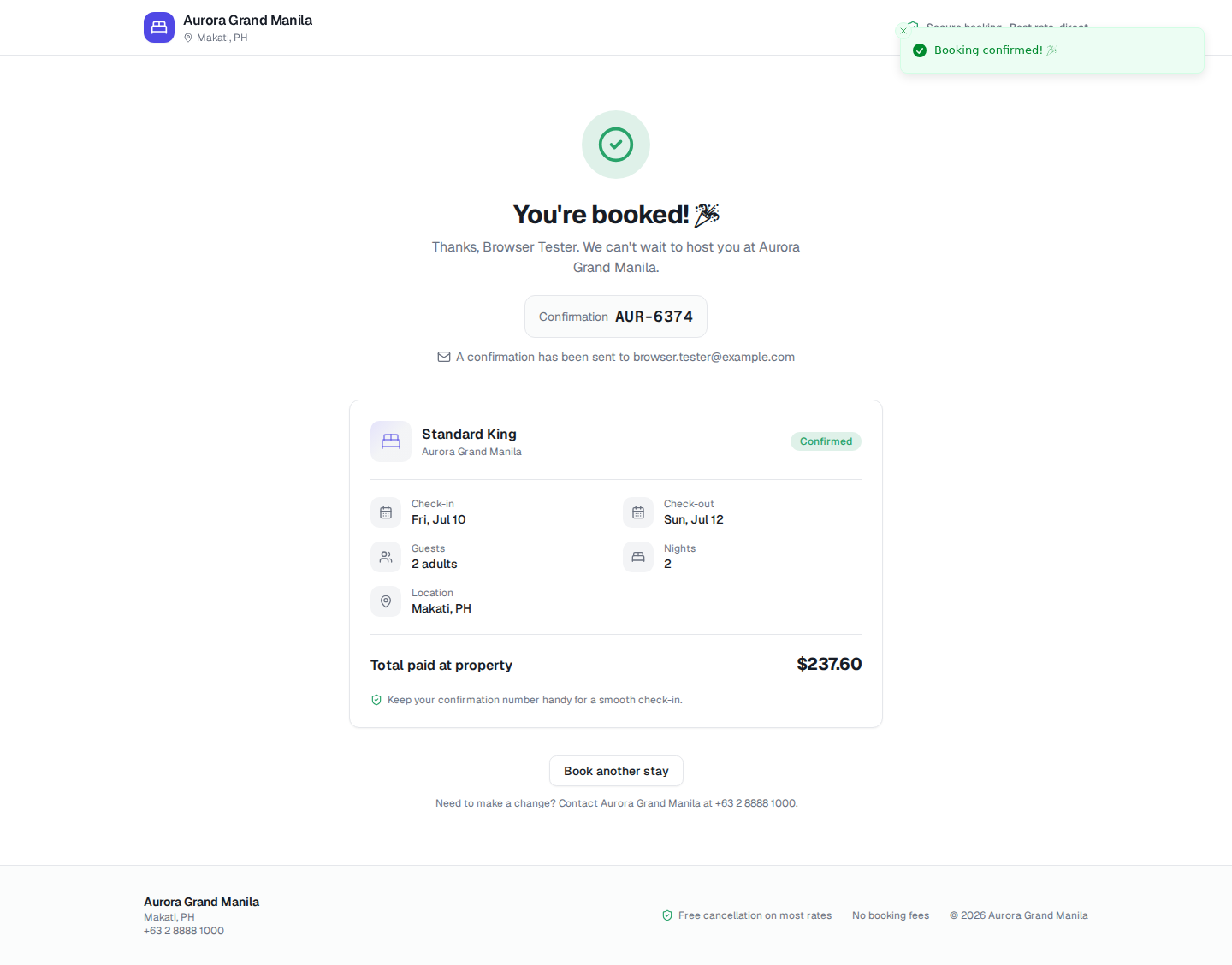
A fast, honest booking site is included with Aurora. Guests pick dates, compare room types and book in a few steps — no fake scarcity, no booking fees, and every direct stay lands straight in your calendar.
- 0% commission on direct bookings
- Free-cancellation and non-refundable rates, clearly shown
- No countdown timers or invented "only 1 left" pressure
See it in action
Beautiful on the desk and in your pocket
The same calm, cohesive design whether your team is at the front desk or moving through the property.

Why Aurora is better
An honest look at how Aurora compares
We're not here to trash anyone — here's where each fits. Mews and Cloudbeds are strong, modern platforms; Oracle OPERA is the enterprise standard; "legacy PMS" covers older on-premise systems. Aurora's edge is being modern, all-in-one and genuinely easy.
Swipe-free summary — full table on desktop or the compare page.
Where Aurora wins
- 24/7 AI booking agent across WhatsApp, Telegram & more
- Zero-training modern UI & minutes to set up
- Channel manager & commission-free booking engine, built in
- Mobile-first ops & reporting included on every plan
- Transparent pricing, no long contracts
Where others lead (honestly)
- Oracle OPERA: deepest enterprise reporting & scale
- Mews & Cloudbeds: large integration marketplaces
- Big chains with bespoke needs may need enterprise tooling
Comparison reflects publicly available product information and common buyer feedback. Capabilities and pricing change — confirm specifics with each vendor.
Pricing
Pricing that fits your property
Every plan includes the channel manager, the booking engine and reporting. You only pick the plan that matches your size. No setup fees, no long contracts.
Independent
For a single independent hotel, B&B or hostel.
Custom
— book a demo
Book a demoWhat's included
- Front desk, calendar & reservations
- Built-in channel manager & OTA sync
- Commission-free booking engine
- Mobile housekeeping
- Occupancy, ADR & RevPAR reports
- Email support
Growing
For busy properties that want more control and support.
Custom
— book a demo
Book a demoEverything in Independent, plus
- 24/7 AI booking agent (omnichannel) with in-chat payment
- Multiple rate plans & advanced availability rules
- Team roles & permissions
- Reservations-by-source insights
- Guided migration & onboarding
- Priority support
Group
For multi-property groups that need one shared view.
Custom
— book a demo
Book a demoEverything in Growing, plus
- Multi-property management & reporting
- Group-level roles & consolidated billing
- Dedicated onboarding specialist
- Priority data migration & export
- Dedicated account manager
All plans include the channel manager, booking engine and reporting. No setup fees · No long contracts · Cancel anytime.
How do we migrate from our current PMS?
We guide your migration on the Growing and Group plans. You can import your existing rooms, rate plans and upcoming reservations, and we'll help you map everything before you go live — so nothing is lost in the move.
How long does onboarding take?
Most properties are set up in minutes and fully live within days, not weeks. Because the interface is designed to be learned on the job, there's no multi-week training programme to schedule.
How does OTA / channel sync work?
The channel manager is built into Aurora. Your availability, rates and restrictions push out to connected OTAs in real time, and bookings from those channels flow straight back into your calendar — which keeps inventory accurate and helps prevent overbookings. There's no separate channel-manager subscription to buy.
Can guests book by WhatsApp or Telegram, and how does the AI agent work?
Yes. Aurora includes a 24/7 AI booking agent that talks to guests on WhatsApp, Telegram, Messenger, Instagram and Viber. It checks your live availability, answers questions in the guest's own language, recommends and books a room, and sends a secure payment link right in the chat. Anything it can't handle — a complaint or a special request — is handed straight to your team.
Can guests pay through Aurora?
Yes. Your direct booking engine supports online payments, and your booking site is upfront about pricing — the price a guest sees is the price they pay, with no surprise booking fees. We'll walk you through payment options on your demo.
Are we locked into a long contract?
No. Aurora has no setup fees and no multi-year lock-in. We'd rather earn your business every month than trap you in a contract.
What support do we get?
Every plan includes support, with priority response on Growing and a dedicated account manager on Group. There's also a full help centre at help.ha4.net with step-by-step guides.
Can we export our data?
Always. Your reservations, guests and reports are yours — you can export them whenever you like. No data hostage-taking if you ever decide to move on.
See Aurora running your property
Book a 30-minute demo and we'll show you the dashboard, the channel manager and the booking engine with your room types in mind. No pressure, no setup fees.